Do you believe you can chase two hares and catch both? Then what about five, fifty, or even two hundred? Remembering the details of all your SEMrush projects is not easy, especially if at the beginning of your journey to online visibility you called your first projects something like “Competitor 1”, “Competitor 2”, and “Competitor 3”. Besides this, your colleagues from different departments may have set up several projects with the same name for a customer. To help you sort out this mess, we are introducing two new Projects functionalities.
Tags
With the new tagging option you can assign each project up to three tags and then use one or all of these for smart filtering.
Let’s say you want to separate the competitors you monitor from the prospects you plan to pitch to and want to narrow it down to large companies. Mark all your prospects with tags like “Prospect”, “SMB”, “Big Fish” or something similar using the “+ Add tag” button.*
*Use colors to separate tags by type.
After that, you’ll be able to filter your projects list by picking the tags from the upper “Tags” menu.
Type in up to three tags you like. e.g. “Competitor”, “SEO”, and “Weak” and have only projects with these parameters remain on the display.*
*Please note that if you use tags that contain the same words in different colors, you have to consider the color when setting up the filter.
If the situation changes and your competitor switches efforts to PPC or social, you can remove the “expired” tag and add a new one in a click.
Table Settings
To arrange your projects by the tools you’ve set up or parameters you are tracking, use the “Table Settings” menu. There you can check and uncheck the boxes to filter your list accordingly.
With the new tagging and filtering options you’ll be able to easily organize your projects dashboard to suit your needs.
Let us know if you have any comments, questions or suggestions by sending us an email at projects-feedback@semrush.com.
An Extended Keyword Database for Israel Is Available – Only via Our Premium Partner Adactive
This article is an updated version of a post from August 2020
Product News
April 17, 2026
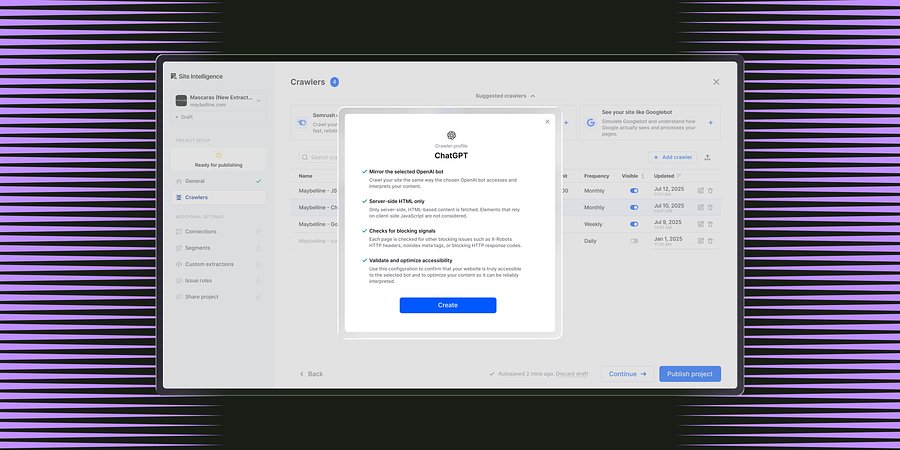
Enterprise Site Intelligence Adds Crawler Profiles for AI Agents and Search Bots
New bot simulation capabilities let teams see their website exactly as AI models and search engines do. Without manual configuration.
Product News
March 31, 2026
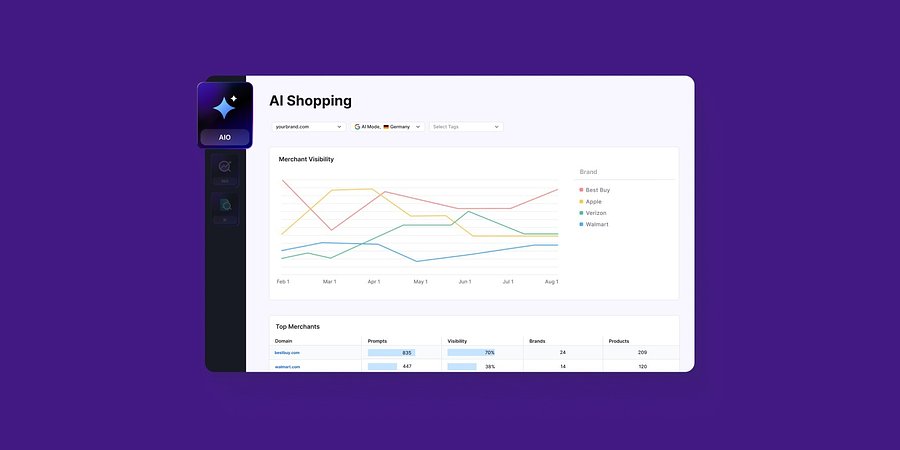
Enterprise AIO Extends AI Shopping Report Across ChatGPT and Google AI Mode
Semrush Enterprise AI Optimization’s (AIO) AI Shopping report now delivers unified merchant and product-level insights across both AI shopping experiences.
Product News
March 6, 2026
This tool is from almunjizun.com
If you see this on any other website, contact admin.