How do I audit a subdomain?
You can audit a subdomain of your site in the Configuring Basic Settings step of the Site Audit setup wizard. See the image below for reference.
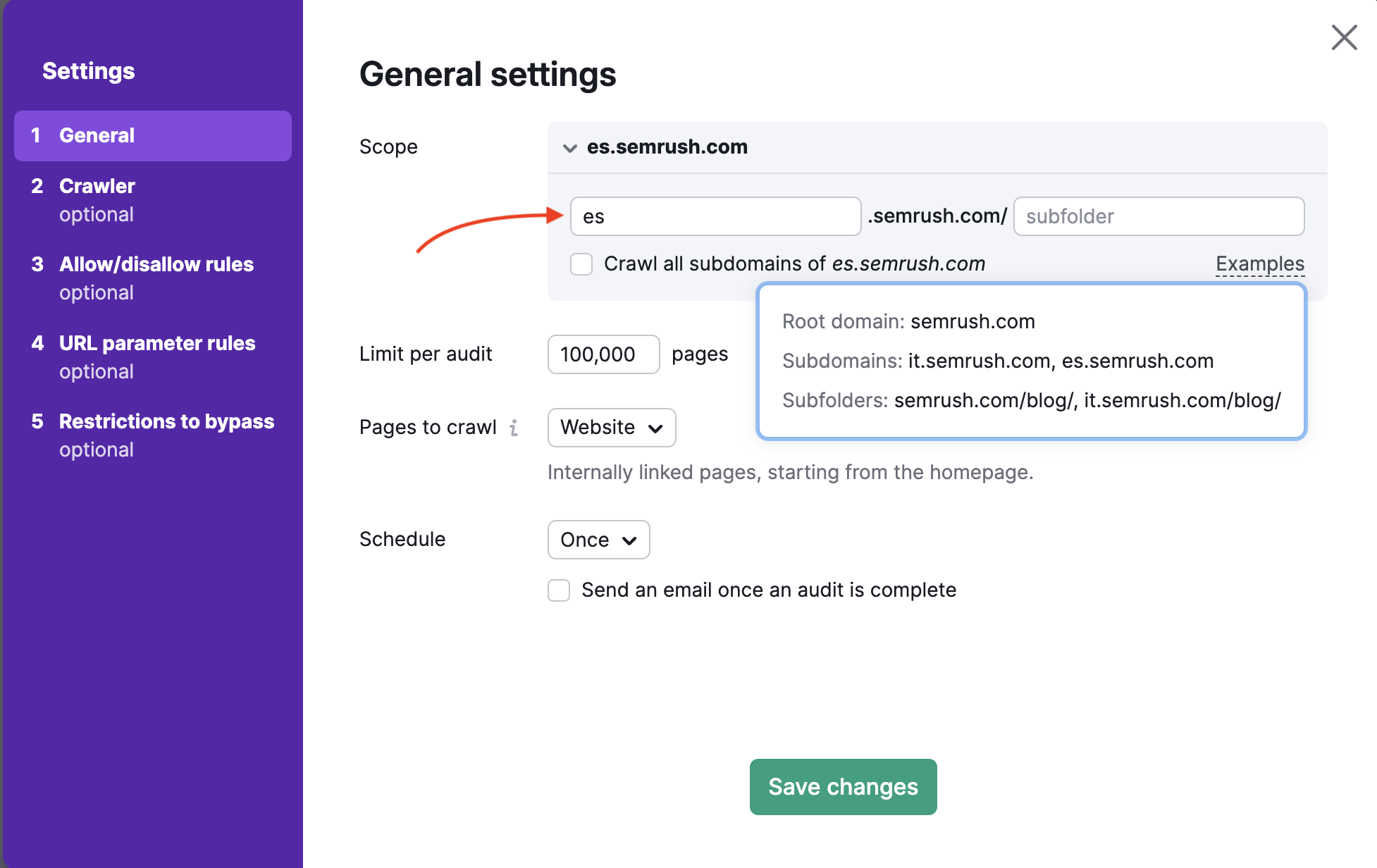
Next to Scope, you can write the specific subdomain of the site to audit and Semrush will only crawl the written subdomain. To make an even more specific scope of an audit, you can allow and disallow URLs in Step 3 of the setup.
You can always change the settings of your Site Audit by selecting the setting gear icon (see below) and changing any of your settings within the setup wizard.

 Back to Semrush Toolkits category